Quiet on the Creek Dance — Do the Shush and Bounce From Your Photo
Quiet on the Creek dance by RapTwins puts your face, hair and outfit into the viral shush-and-bounce clip, keeping its moves, camera and Saucy Santana sound.
Updated
Make your Quiet on the Creek dance
1. Pick the version you saw
2. Your photo
Which photos work best
JPG, PNG or WebP, 300–6000 px, up to 10 MB, one adult per photo. A waist-up or full-body photo with the face uncovered and the hands visible holds up best through the shush, the hand over the mouth and the turn.
3. Where you dance
Model and quality · Seedance 2.5 · 480p
480p · 12 s · 9:16 vertical MP4 with the take's own Quiet on the Creek recording, in sync with the moves
Add your photo.
New accounts get 3 free sign-up credits right now, fewer than one video costs (from 77 credits).
The Solo take: 12 s with sound · 9:16 · your video copies these moves, this camera and this recording with your face and outfit.
The Quiet on the Creek dance generator is for people who want to post the trend without filming themselves: pick the take you saw and download an 8–15 second 9:16 MP4 with that take's recording, 480p to 1080p, with no watermark. One video costs 77–809 credits (from about $2.86) and the 3 free sign-up credits are not enough for one.
Quiet on the Creek dance video examples
The four takes the generator copies, each with its own recording. Your video keeps the take’s moves, camera and sound, with your face and outfit in place of the dancer’s. Tap a clip for sound.
Solo original: the bedroom routine
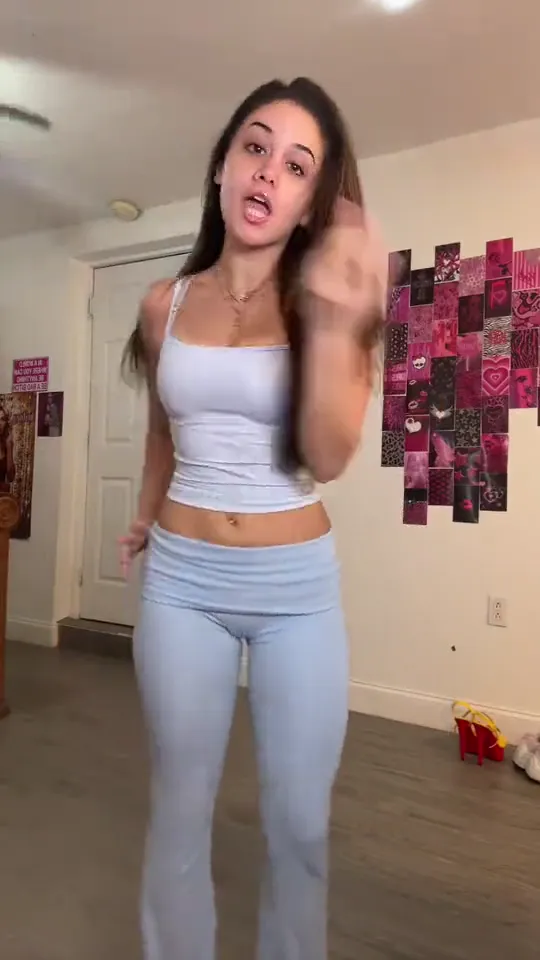
A dancer in a white top and light-blue flared pants lip-syncs to the camera, does the finger-to-lips shush with a head tilt, raises both arms, flexes, drops into a wide squat and ends on a turn and hair flip. 12 seconds, 9:16, with sound.
12 s · with sound · vertical
Duo: two friends in a night parking lot
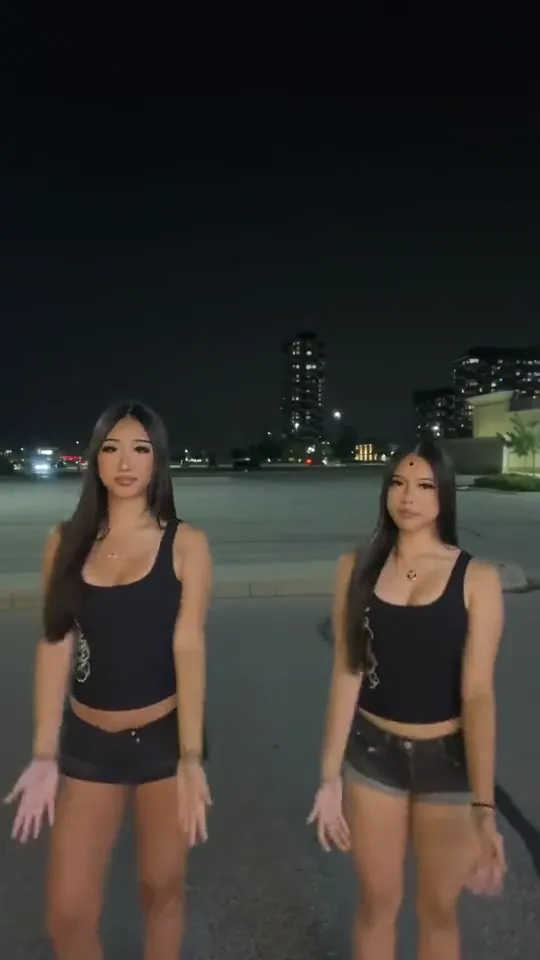
Two dancers in black tops and denim shorts stand side by side in an empty parking lot at night, cover their eyes, then their mouths, shush together and sway in sync. 8 seconds, 9:16, with sound.
8 s · with sound · vertical
Shush selfie: close to the lens
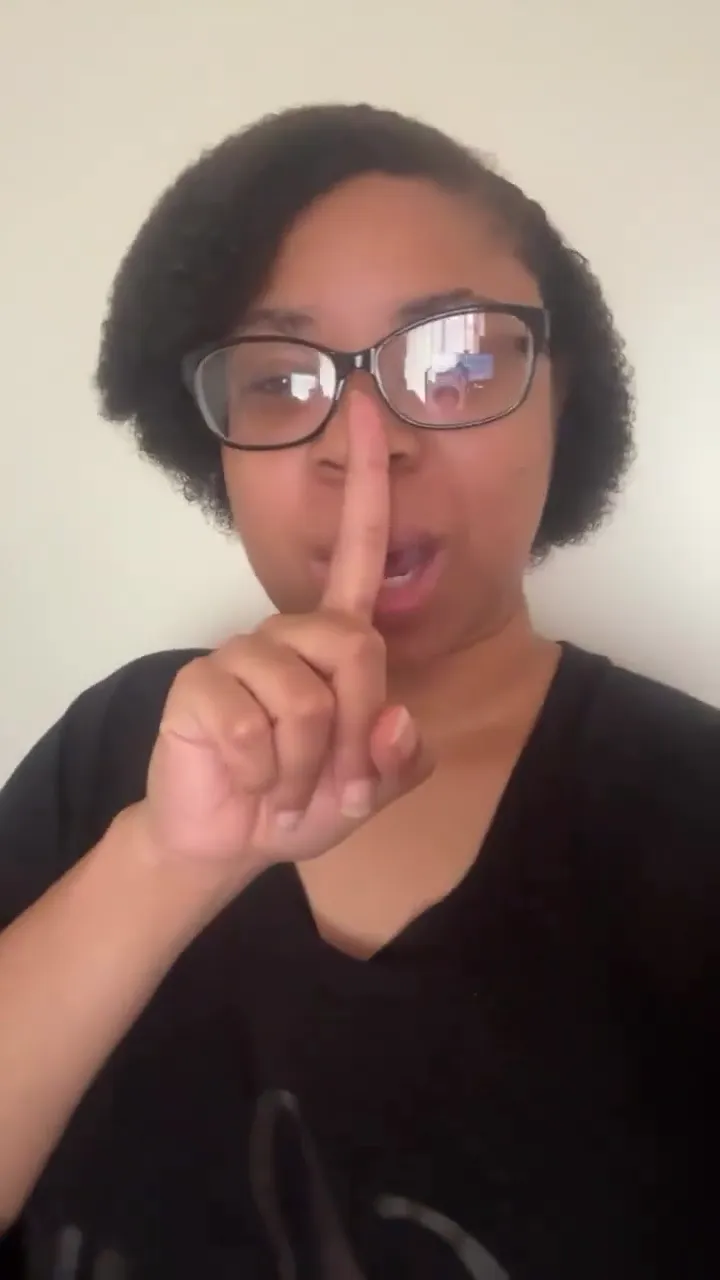
A woman with glasses films a close selfie: finger to her lips, a hand under the chin, a head tilt and sway, a smile and the shush again. 14 seconds, 9:16, with sound.
14 s · with sound · vertical
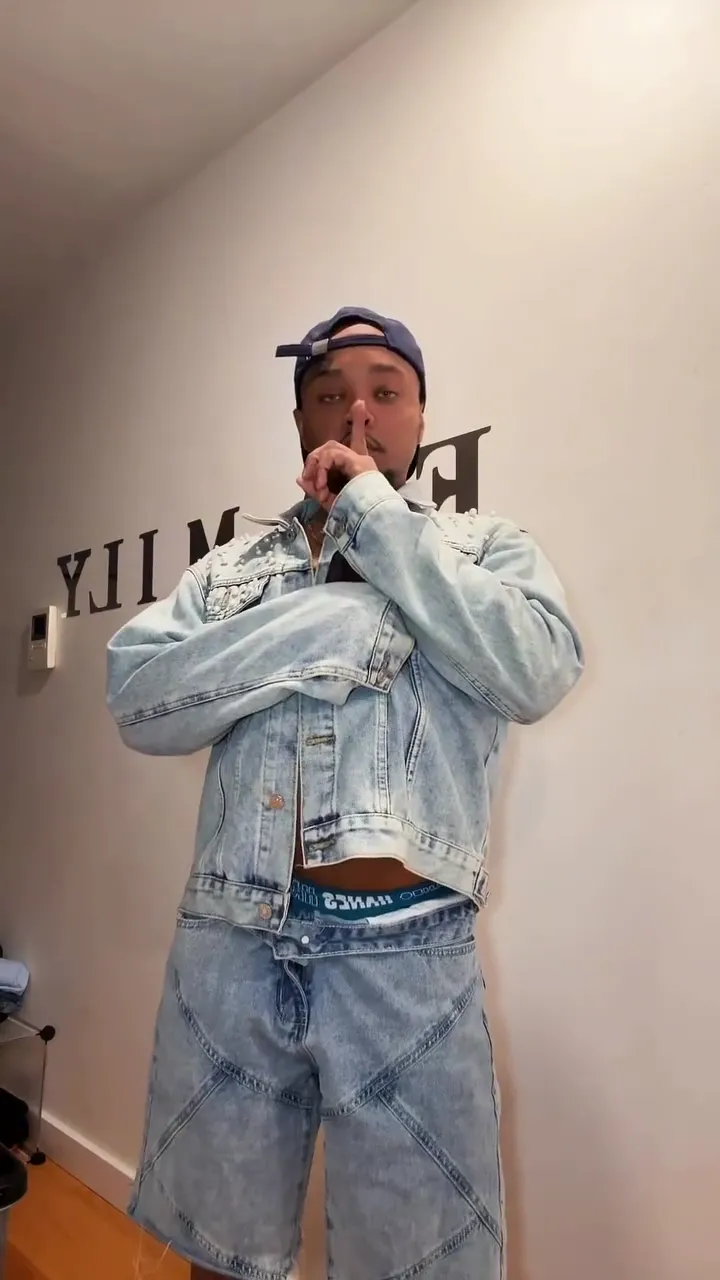
Full body: denim set in a hallway
A dancer in a denim jacket and jeans bounces through the shoulders and chest in a hallway, then walks up to the lens for the shush. 15 seconds, 9:16, with sound.
15 s · with sound · vertical
What is the Quiet on the Creek dance?
The Quiet on the Creek dance is a short TikTok routine to Saucy Santana’s rap single “Quiet on the Creek”: a finger pressed to the lips for a “shh”, a head tilt and sway, then a bounce through the shoulders and chest. Popular versions add hands over the eyes and mouth, a flex and a low squat, or a turn with a hair flip on the last beat.
The “shh” matches what the phrase means in TikTok slang: keeping something quiet, on the low or secret. That is why the meme dance always starts with the shush and why the duo version covers the eyes and mouth first.
| Seconds | Move | What to look for |
|---|---|---|
| 0–2 s | Lip-sync and sway | Mouth the line to the camera, a loose sway and a flick of the hand. |
| 3 s | The shush | One finger to the lips, head tilted: the move everyone remembers. |
| 4–5 s | Lean and point | Lean toward the lens, point and bounce through the shoulders and chest. |
| 6–7 s | Arms up, then flex | Both arms straight up, then a double flex. |
| 8–10 s | Low squat | Drop into a wide squat with both arms still flexed. |
| 10–12 s | Turn and hair flip | Turn away from the camera and flip the hair on the last beat. |
Which Quiet on the Creek dance video is the original?
The original Quiet on the Creek dance video most people mean is a 12-second TikTok bedroom solo first posted on July 23, 2026: lip-sync, the shush with a head tilt, arms up, a flex, a low squat and a turn with a hair flip. The second version that spread is a duo of two friends in an empty parking lot at night (August 12, 2026), who cover their eyes and mouths before shushing together.
After those two, many more takes kept the shush and the bounce and changed the framing: close front-camera selfies and full-body takes in a hallway. The generator offers the four versions below, each as its own card, so you get the one you remember rather than a random dance.
| Version | What you see | Length | Photos |
|---|---|---|---|
| Solo original | The bedroom solo first posted on July 23, 2026: shush, flex, squat, hair flip | 12 s | One |
| Duo in the night parking lot | Two friends in an empty parking lot at night (August 12, 2026): eyes, mouth, shush in sync | 8 s | Two (left and right) |
| Shush selfie | A close front-camera take: shush, chin pose, head tilt and sway | 14 s | One |
| Full body | Head to toe in a hallway: chest bounce, then a walk up to the lens for the shush | 15 s | One |
Does the video come with the Quiet on the Creek dance song?
Yes. Every Quiet on the Creek dance video downloads as one MP4 with the recording of the take you picked laid under it: the same seconds of “Quiet on the Creek” the dancer moved to, so the shush and the bounce land on the beat without any editing. You don’t pick or upload music: the sound is the audio of that take as it was posted, not a track you choose.
The duo’s clip is 7.5 seconds long, so its last half second is silent. The file carries the sound only, not on-screen lyrics or captions. If you would rather post with the app’s own Quiet on the Creek sound or a remix, add it in TikTok, Instagram or YouTube and turn the original audio down; the moves stay timed to the song.
The recording comes with the template so the dance stays in sync; it is not a music licence. Each app has its own rules for music in uploads.
How to make a Quiet on the Creek AI dance video
To make a Quiet on the Creek AI dance video, pick a version, add your photo (two for the duo), choose where you dance, tick the permission box and press the button. Your photo and the take go to the model in one generation, then the take’s recording is laid under the result. It usually takes 3–8 minutes in a phone or desktop browser, and the price shows before you start.
1Pick the version you saw
Solo original (12 s), duo in the night parking lot (8 s, two photos), shush selfie (14 s) or full body (15 s).
2Add your photo
One waist-up or full-body photo with the face uncovered; on the duo, photo 1 dances on the left and photo 2 on the right.
3Choose where you dance
Same place as the take (default), the background of your own photo, or Custom: describe a place, like a creek in a sunny forest, and optionally add a photo of it.
4Download the MP4
Seedance 2.5 at 480p is the default (117 credits for the solo); open “Model and quality” for 720p, 1080p or MiniMax H3 (116 credits for the solo). The video is 9:16 with sound and no watermark.
Quiet on the Creek dance pricing and credits
One Quiet on the Creek dance video costs 77 to 809 credits depending on the version, model and resolution, charged once when it starts and refunded automatically if it fails. The cheapest is the 8-second duo on MiniMax H3 (77 credits, about $2.86); the 12-second solo is 117 credits on Seedance 2.5 at 480p or 116 on MiniMax H3. The Starter plan ($9 a month, 240 credits) covers 2 videos of the solo at the default setting. The one-time $5 trial pack (73 credits) is not enough for one.
| Version | Length | Seedance 2.5 480p | 720p | 1080p | MiniMax H3 768P |
|---|---|---|---|---|---|
| Solo original | 12 s | 117 | 262 | 647 | 116 |
| Duo in the night parking lot | 8 s | 78 | 175 | 431 | 77 |
| Shush selfie | 14 s | 136 | 306 | 755 | 135 |
| Full body | 15 s | 146 | 328 | 809 | 145 |
Free credits, watermark and download
A new account's 3 sign-up credits don't cover a Quiet on the Creek dance video (from 77 credits, about $2.86), so the rest comes from a plan or credit pack. Every download has the sound and no watermark, it runs in a phone browser with no app, and a failed video gives the credits back automatically.
| What you get | Sign-up credits | Plan or pack credits |
|---|---|---|
| Quiet on the Creek dance video | 3 credits, not enough for one | 77–809 credits each |
| Watermark | None | None |
| Download | MP4 with the sound | MP4 with the sound |
| Phone browser, no app | Yes | Yes |
| Failed video | Credits back automatically | Credits back automatically |
What this Quiet on the Creek dance generator can’t do
The Quiet on the Creek dance generator can’t invent a new routine, change the song or the length: each take’s moves, camera and recording are fixed, which is why the video stays on the beat. It makes 9:16 only and takes photos of adults only. Fast moments, like the hand over the mouth or the hair flip, can blur a face for a frame or two.
Hands over the face
The shush and the hand over the mouth hide part of the face; a sharp, front-facing photo with the face uncovered helps most.
Head-only selfies
For the solo and full-body takes the model has to invent the arms and the outfit below the shoulders; a waist-up or full-body photo gives it something to copy.
Faces from the original take
The takes are real people; in rare frames a trace of the original dancer can show through. If it happens, a clearer photo or 720p on Seedance 2.5 usually fixes it.
No edits after
A new take is a new video at the same price, so check the photo and the version first.
Where the Quiet on the Creek dance trend came from
Saucy Santana first said “quiet on the creek” on a TikTok live, then released the rap single of the same name on July 17, 2026. The bedroom solo with the shush, flex and squat followed on July 23, the night parking-lot duo on August 12, and by August AI versions with pets by a creek were spreading too.
This page is not affiliated with Saucy Santana or the creators of the original takes. RapTwins is an AI rap and music video site; the generator copies a take’s moves and sound with your photo.
Quiet on the Creek dance: FAQ
Is “Quiet on the Creek AI” the same as the dance?
Yes. Quiet on the Creek AI is what people call the AI-made versions of the same TikTok dance: the shush, head tilt and bounce done by someone from a photo instead of a filmed take.
Can my dog do the Quiet on the Creek dance?
Not here. The four takes are people and the tool takes adult photos only; the AI dog by the creek is a separate trend this page does not make.
Can I use a friend’s photo?
Only with their permission. The box you tick confirms that every photo shows an adult who agreed to be in the video. The photo is kept in this site’s private storage, and the video model’s provider receives a copy to make the video.
Can I post the video on Instagram Reels and YouTube Shorts too?
Yes. The MP4 is vertical 9:16 with the sound already in it, which is the frame TikTok, Instagram Reels and YouTube Shorts all use, so the same file can go to all three without cropping.
Check this answer with an AI assistant
“How do I make the Quiet on the Creek dance from my photo?”
Your Quiet on the Creek dance, song included, is one photo away.
Make my Quiet on the Creek dance